How to Wire an XLR (Canon) Connector the Right Way
XLR connector wiring explained: how to wire a mic cable and a balanced cable, which pin does what, and how to check your work with a multimeter.

How to Wire an XLR (Canon) Connector the Right Way
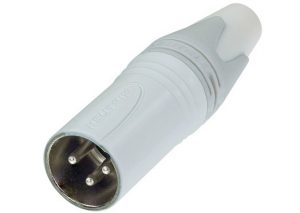
When it comes to sound system components, the input cable is essential for producing clean audio without interference. This cable is commonly known in Indonesia as a "jack canon," the XLR connector that links one component to another. Here is how to wire an XLR connector correctly.
How to Wire an XLR Connector Correctly
-
Wiring a Mic Cable
Many beginners are unsure how to connect a mic cable. That is because an audio mixer does not use a standard plug or jack here. It uses an XLR (Canon) connector to deliver a clean signal. A faulty microphone is often the root of the problem, and it should be dealt with quickly so the fault does not spread to other components and affect the sound.
A faulty microphone typically produces a lot of noise when you hold it. It may or may not turn on. The worst failure is a complete loss of sound. To rewire it, first strip the cable back to expose the core, then twist off the housing cover to open the connector.
Next, attach the wires, solder them, and check that each contact works. The pin numbers are marked on the female connector of the microphone. Pin 1 is ground, pin 2 is hot, and pin 3 is cold. Connect and solder all three wires. When you are done, put the cover back on the XLR connector. You can use an AVO meter (a multimeter) as a testing tool.
-
Connecting a Balanced Cable
Wiring and connecting an XLR (Canon) jack is not an easy task. The reason is that some audio devices are not compatible with this balanced microphone connector. A balanced XLR connection can essentially only be wired in stereo, so you need to be careful about compatibility when connecting.
To make this connection, the body (shield), hot, and ground must all be in place. When wiring the XLR connector, take care when removing the plug from the cable and stripping the wires. Using a knife is much better than a nail and is recommended. Most of these XLR connectors have 3 or 4 wires, such as red, green, and blue.
If you have four wires, you may have two empty copper pads. Red is the right wire, green or blue is the left wire, and the empty wire is a spare. These colors can vary, but the right channel is always red. Choose the copper-plated color for the base. Now you are ready for the assembly stage.
To assemble the connector, push the XLR connector onto the cable. Wrap each wire around its matching terminal and tighten the screws to keep it from slipping. Once everything is done, make sure no stray wires stick out or touch other wires. Each wire can be insulated further if you wish.
Wiring this connector can be fairly tricky, especially for beginners who do not yet know the equipment well. Besides knowing how to wire it, you also need to find an input cable of the best quality. You can get top products only from trusted manufacturers such as Goshen.